Your vehicle. Your TrakShield app.
The tracking and support you need, designed around your own vehicles.
THE TRAKSHIELD APP
Your Vehicle. Your Security.
In Your Hands.
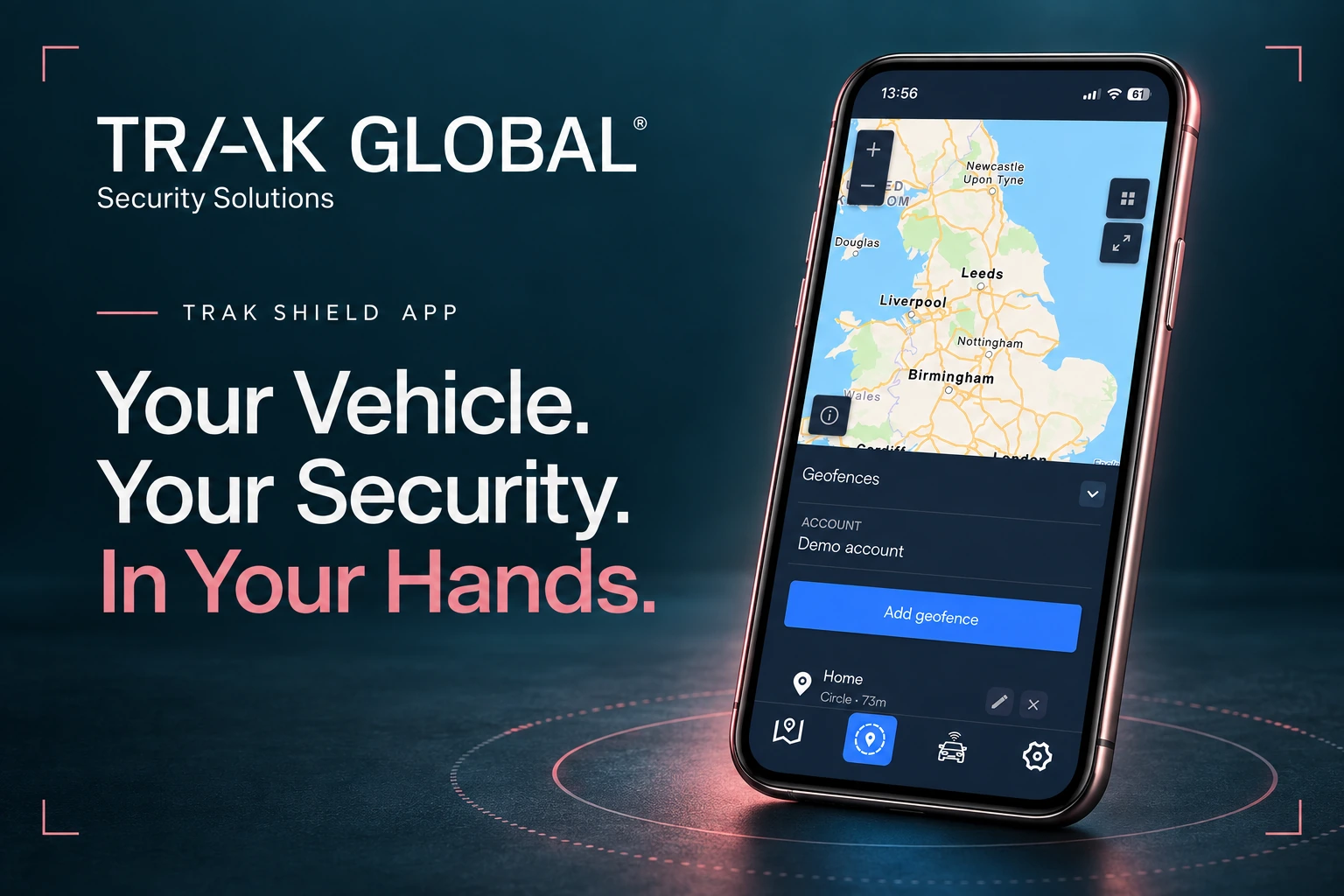
With the TrakShield app, your vehicle’s security information is right at your fingertips.
Once your tracker is fitted and activated, open TrakShield to check your vehicle’s reported location, set safe zones and reach the recovery team if something is wrong.
TrakShield gives you:
Your vehicles, together
Keep your protected vehicle details in one place.
Check your vehicle’s location
Access the tracking information your device supports, backed by 24/7 monitoring on applicable packages.
Set a safe zone around home
Choose a familiar place, like home or work, and set supported alerts for when your vehicle leaves it.
Get help if your vehicle is stolen
After contacting the police, activate Theft Mode and contact the team through TrakShield. We work with the authorities to coordinate the response.
Get connected after installation.
Your compatible device is configured for TrakShield. Use the account details supplied with your device, change your password and set your safe-zone preferences.
Live tracking and interval tracking.
Live devices use vehicle power to provide regular location information. Sleeper devices use an internal battery and report at scheduled intervals. Check the last-update time rather than assuming every map marker is a live position.
When something isn’t right.
Report suspected theft to the police first and obtain a crime reference number. Use the contact details in the app or your service documents to reach the monitoring team.
In Theft Mode the app may stop displaying the vehicle’s location while professionals coordinate a response. Do not attempt recovery yourself. The team will explain the available services and any chargeable frontline recovery.
Does Sleeper provide live tracking?
No. Sleeper reports at scheduled intervals and the app shows its last reported position. It uses its own battery and sleeps between reports. Confirm the supplied reporting schedule and monitoring service with the team; source pages describe different configurations.
Will tracking work everywhere?
Location reporting depends on satellite reception and mobile-network coverage. Underground parking, some buildings and poor coverage can interrupt updates. The app can show the last reported location. A tracker is not a guarantee of continuous location or recovery.
Can I see more than one vehicle in the app?
The TrakShield app supports multiple devices on an account. You can view individual devices and an overview. Available information depends on whether each device provides live or interval tracking.
Not sure where to start?
Tell us what you drive. We’ll help with the rest.